
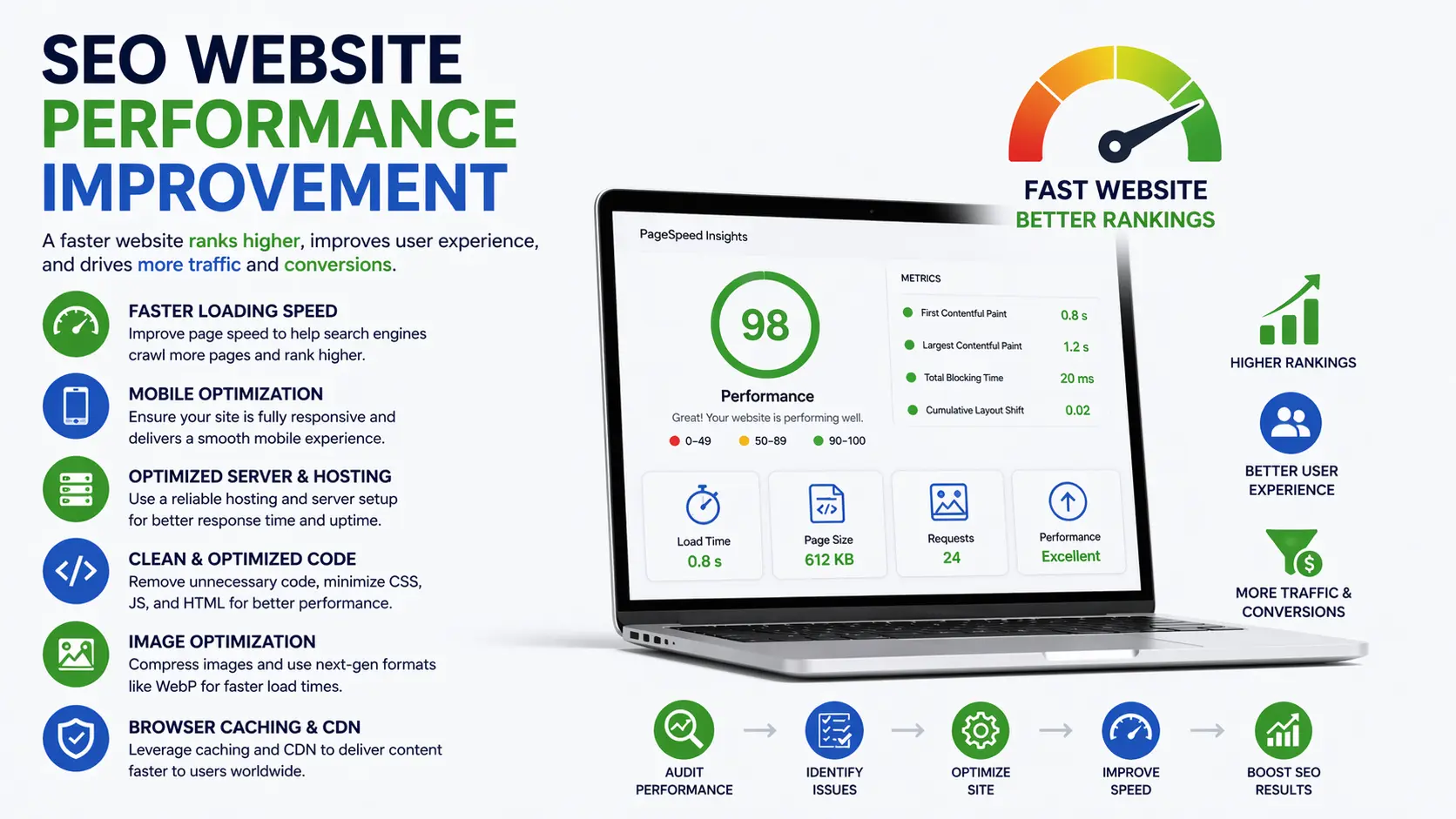
If your site isn’t loading fast, isn’t easy to crawl, or frustrates users, no amount of content will save it. SEO website performance improvement is about making your site faster, cleaner, and easier for both users and search engines to understand.
This guide walks you through exactly what to fix, why it matters, and how to do it—without wasting time on theory.
What “SEO Performance” Really Means
SEO performance isn’t just rankings. It’s the combination of:
- Page speed and load stability
- Crawlability and indexability
- User experience (UX) and engagement
- Technical health (errors, redirects, structure)
- Content accessibility and relevance
When these work together, rankings improve naturally.
1. Improve Page Speed (Core Web Vitals First)
Google prioritizes real-world performance metrics known as Core Web Vitals:
- LCP (Largest Contentful Paint): Loading speed
- INP (Interaction to Next Paint): Responsiveness
- CLS (Cumulative Layout Shift): Visual stability
Quick Wins:
- Compress images (use WebP or AVIF)
- Enable browser caching
- Minify CSS, JavaScript, and HTML
- Use a fast hosting provider
- Implement a CDN (Content Delivery Network)
Example:
A blog reduced image sizes from 2MB to 200KB. Result? Page load time dropped from 5.2s to 1.9s—and rankings improved within weeks.
2. Fix Technical SEO Issues
Search engines need a clean structure to crawl your site efficiently.
What to Check:
- Broken links (404 errors)
- Redirect chains
- Duplicate content
- Missing or incorrect canonical tags
- XML sitemap errors
- Robots.txt blocking important pages
Tools to Use:
- Google Search Console
- Screaming Frog
- Site audit tools (Ahrefs, SEMrush)
Tip: Fix crawl errors first—they directly block indexing.
3. Optimize Mobile Performance
Google uses mobile-first indexing, meaning your mobile site is the primary version.
Key Improvements:
- Responsive design (no horizontal scrolling)
- Fast mobile load speed
- Easy-to-tap buttons and navigation
- Avoid intrusive popups
Example:
An eCommerce site simplified its mobile layout and improved speed → bounce rate dropped by 28%.
4. Strengthen Internal Linking
Internal links help search engines understand your site structure and distribute authority.
Best Practices:
- Link related content naturally
- Use descriptive anchor text
- Build topic clusters (pillar + supporting pages)
Example Structure:
- Main page: “SEO Website Performance Improvement”
- Supporting pages: page speed, technical SEO, Core Web Vitals
5. Improve Content Accessibility & Structure
Even great content fails if it’s hard to read or scan.
Optimize Your Content:
- Use short paragraphs (2–3 lines)
- Add clear headings (H2, H3)
- Include bullet points and visuals
- Optimize for featured snippets (answer questions directly)
Pro Tip:
Write like you’re explaining to a beginner—Google rewards clarity.
6. Optimize Images and Media
Heavy media slows everything down.
Fix It:
- Compress images before uploading
- Use lazy loading
- Add descriptive alt text (helps SEO + accessibility)
- Avoid auto-playing videos
7. Reduce JavaScript Bloat
Too much JavaScript can delay page rendering.
Solutions:
- Remove unused scripts
- Use defer/async loading
- Replace heavy plugins with lightweight alternatives
8. Improve Server & Hosting Performance
Your hosting directly affects speed and uptime.
Upgrade If Needed:
- Switch to managed hosting
- Use SSD/NVMe servers
- Enable HTTP/2 or HTTP/3
- Use server-side caching
Reality Check:
Cheap hosting often costs you rankings.
9. Monitor Performance Regularly
SEO is not “set and forget.”
Track:
- Page speed scores
- Crawl errors
- Index coverage
- Organic traffic trends
Tools:
- Google Search Console
- Google Analytics
- PageSpeed Insights
10. Focus on User Experience (UX Signals)
Search engines measure how users interact with your site.
Improve:
- Navigation clarity
- Time on page
- Bounce rate
- Click-through rate (CTR)
Example:
A clearer homepage layout increased time on site by 40%—boosting rankings indirectly.
Common Mistakes to Avoid
- Ignoring mobile performance
- Overloading pages with plugins
- Not fixing technical errors
- Using uncompressed images
- Chasing backlinks without fixing site issues
FAQ: SEO Website Performance Improvement
Q1: How long does it take to see results?
Usually 2–8 weeks after fixing major issues like speed and crawl errors.
Q2: What is the most important factor?
Page speed and technical health—without them, content struggles to rank.
Q3: Do Core Web Vitals really matter?
Yes. They directly impact rankings and user experience.
Q4: Can I improve SEO without technical skills?
Yes, by using tools and following best practices—but complex issues may need a developer.
Final Thoughts
Improving SEO website performance isn’t about hacks—it’s about building a fast, clean, user-friendly site that search engines trust.
Start with speed, fix technical issues, optimize mobile, and structure your content properly. These changes compound over time and create sustainable rankings.
