
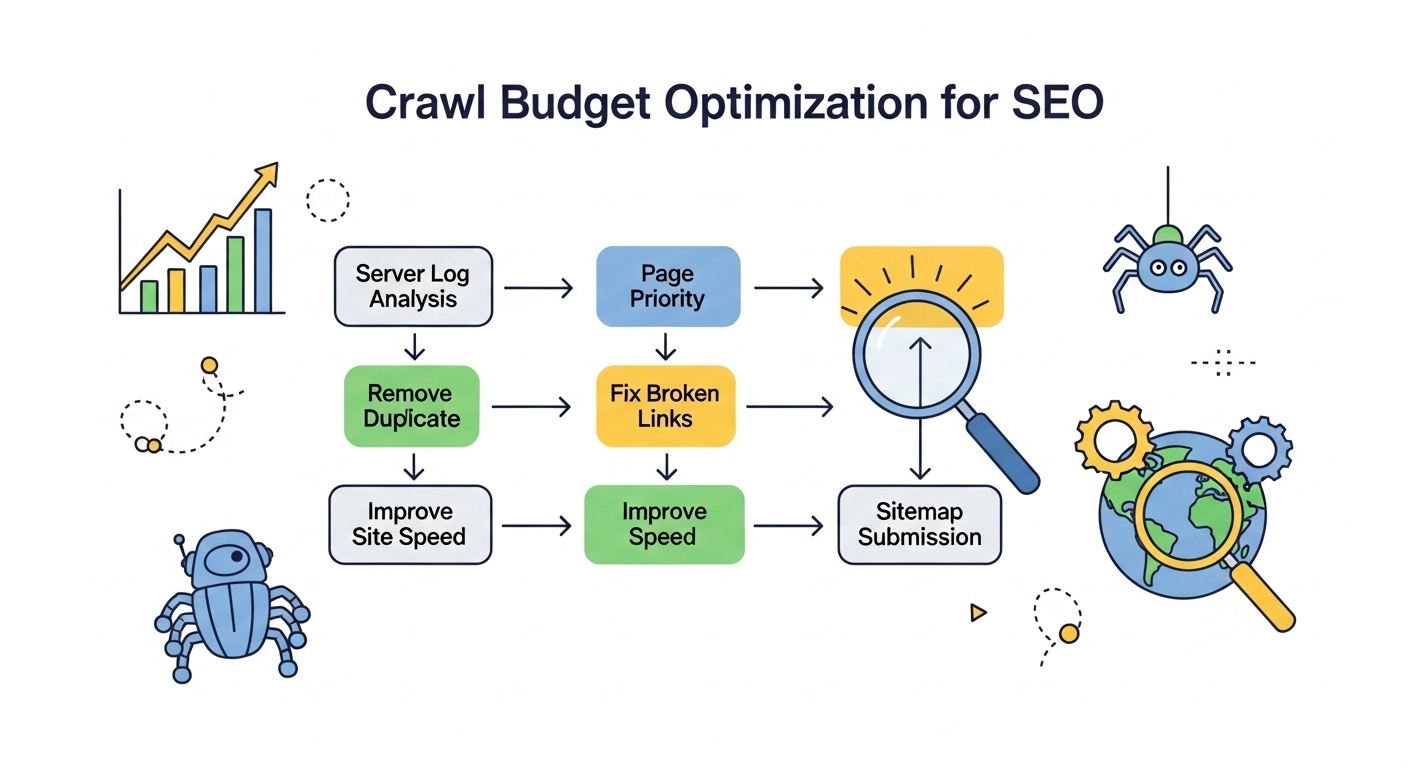
If your website has hundreds or thousands of pages, crawl budget optimization becomes critical for SEO. Search engines don’t crawl every page on the internet constantly. Instead, they allocate a limited number of requests to each site.
This limit is called your crawl budget.
If your crawl budget is wasted on low-value pages, broken links, or duplicate content, important pages may stay undiscovered or unindexed.
In this guide, you’ll learn what crawl budget is, why it matters, and how to optimize it so search engines focus on the pages that actually grow your traffic.
What Is Crawl Budget?
Crawl budget is the number of pages a search engine crawler (like Googlebot) will crawl on your website within a specific time period.
It depends mainly on two factors:
1. Crawl Rate Limit
This determines how fast search engines crawl your site without overloading your server.
2. Crawl Demand
This is based on how popular or frequently updated your pages are.
If your website has 10,000 pages but search engines crawl only 2,000 per day, the remaining pages might not get discovered quickly.
That’s why optimizing crawl budget is important—especially for large websites, eCommerce stores, and news sites.
Why Crawl Budget Optimization Matters
Many smaller websites never notice crawl issues. But once your site grows, inefficient crawling can hurt SEO performance.
Here’s why crawl budget matters:
Faster indexing
Important pages appear in search results sooner.
Better SEO performance
Search engines focus on valuable content instead of low-quality pages.
Improved website health
Fixing crawl issues often reveals technical SEO problems.
Stronger ranking potential
Well-structured sites are easier for search engines to understand.
Example:
An online store with 20,000 product pages may struggle if Googlebot wastes time crawling filtered URLs, duplicate pages, or expired products.
Signs Your Crawl Budget Is Being Wasted
You might have crawl issues if you notice:
- Important pages not indexed
- Slow indexing after publishing new content
- Thousands of low-value URLs in search console
- Large numbers of 404 or redirect pages
- Many duplicate pages
These issues can signal that search engines are spending crawl resources inefficiently.
How to Optimize Crawl Budget (Step-by-Step)
1. Remove Duplicate Content
Duplicate pages confuse search engines and waste crawl resources.
Common causes include:
- URL parameters
- Session IDs
- Printer-friendly pages
- Category filters
Solution:
- Use canonical tags
- Consolidate duplicate pages
- Block unnecessary parameters
Example:
Instead of indexing:
example.com/product?color=red
example.com/product?color=blue
Use a canonical version:
example.com/product
2. Fix Broken Links and Errors
Pages returning 404 or 500 errors waste crawler time.
Regularly audit your site and fix:
- Broken internal links
- Deleted pages
- Server errors
Tools that help:
- Google Search Console
- Screaming Frog
- Ahrefs Site Audit
3. Improve Internal Linking
A strong internal link structure helps crawlers discover pages faster.
Best practices:
- Link to important pages from high-authority pages
- Avoid orphan pages
- Use clear anchor text
Example:
A blog post should link to related content like:
- Guides
- Product pages
- Category pages
This improves both crawlability and user experience.
4. Optimize Your XML Sitemap
An XML sitemap tells search engines which pages are important.
Your sitemap should include:
- Indexable pages only
- Fresh content
- Updated URLs
Avoid including:
- Redirect pages
- Noindex pages
- Duplicate URLs
Keep your sitemap clean and updated.
5. Use Robots.txt Strategically
The robots.txt file helps control crawler behavior.
You can block low-value pages like:
- Admin panels
- Filtered URLs
- Internal search results
Example:
Disallow: /search/
Disallow: /filter/
This ensures search engines focus on pages that matter.
6. Speed Up Your Website
Slow websites reduce crawl efficiency.
If your server responds slowly, search engines will crawl fewer pages.
Improve speed by:
- Compressing images
- Using caching
- Choosing reliable hosting
- Minimizing heavy scripts
Faster sites allow crawlers to index more pages in less time.
7. Remove Thin or Low-Quality Pages
Pages with little value dilute your crawl budget.
Examples include:
- Empty category pages
- Thin affiliate pages
- Outdated posts
- Duplicate landing pages
Options include:
- Updating the content
- Merging similar pages
- Using noindex
- Removing them entirely
Best Tools for Crawl Budget Analysis
Several SEO tools help analyze crawling behavior.
Google Search Console
Shows crawl stats and indexing reports.
Screaming Frog SEO Spider
Identifies crawl errors and technical issues.
Ahrefs / SEMrush
Provides technical site audits and crawl diagnostics.
Using these tools regularly helps maintain a healthy site structure.
Crawl Budget Optimization Example
Imagine an eCommerce website with 50,000 URLs.
Problems:
- Thousands of filter pages
- Broken product links
- Duplicate category URLs
After optimization:
- Blocked filter URLs in robots.txt
- Fixed broken links
- Consolidated duplicate pages
- Updated sitemap
Result:
- Faster indexing of product pages
- Better crawl efficiency
- Increased organic traffic
Frequently Asked Questions
What is crawl budget in SEO?
Crawl budget is the number of pages a search engine crawler will crawl on a website during a specific time period.
Do small websites need crawl budget optimization?
Usually no. Websites with fewer than a few thousand pages rarely face crawl budget limitations.
How can I check my crawl budget?
You can review crawl statistics inside Google Search Console → Settings → Crawl Stats.
Does site speed affect crawl budget?
Yes. Faster websites allow search engines to crawl more pages within the same timeframe.
What wastes crawl budget the most?
Common issues include:
- Duplicate pages
- Broken links
- Infinite URL parameters
- Low-quality pages
Final Thoughts
Crawl budget optimization isn’t about forcing search engines to crawl more pages—it’s about helping them crawl the right pages.
When your site structure is clean, fast, and well-organized, search engines can easily discover and index your most valuable content.
Focus on:
- Removing duplicate URLs
- Fixing technical errors
- Improving internal linking
- Maintaining a clean sitemap
These improvements not only help search engines but also create a better experience for users.
