
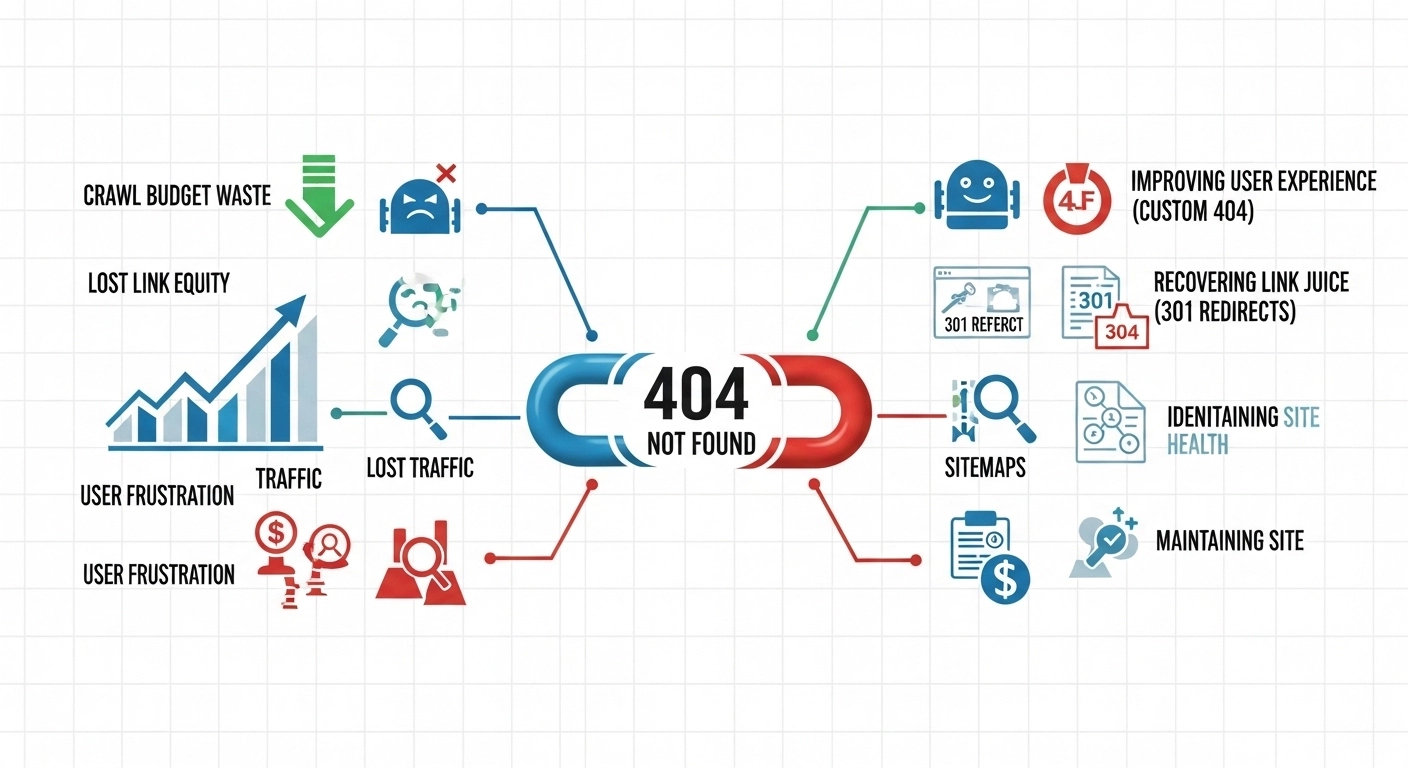
When a visitor clicks a link and lands on a 404 page, it means the page no longer exists. Instead of useful content, they see a message like “Page Not Found.”
For users, this is frustrating. For website owners, it raises an important question:
Do 404 errors hurt SEO?
The short answer: Not always—but too many can damage your site’s performance. Understanding how 404 errors affect search engines and users is essential if you want to maintain strong rankings and a healthy website.
Let’s break it down.
What Is a 404 Error?
A 404 error happens when a browser requests a page that the server cannot find.
Common reasons include:
- A page was deleted
- The URL changed without a redirect
- A user typed the address incorrectly
- A link on another site points to a non-existing page
Example:
You used to have this page:
yourwebsite.com/best-seo-tips
But if the page is deleted or renamed and someone visits it, they’ll see a 404 error page.
Do 404 Errors Affect SEO?
Google has stated many times that 404 errors themselves are normal and not a direct ranking factor.
However, they can still affect SEO indirectly.
Here are the main ways.
1. Poor User Experience
When users land on broken pages, they often leave immediately.
This can lead to:
- Higher bounce rates
- Lower engagement
- Lost trust
Example:
If a user clicks a Google result and gets a 404 page, they’ll likely go back and choose another website.
Search engines notice when users abandon a page quickly.
2. Lost Link Equity
Backlinks are one of the most important ranking factors.
If a page with strong backlinks returns a 404 error, all that authority is wasted.
Example:
- A blog post receives 20 backlinks
- The page is deleted
- No redirect is set
Result:
Those backlinks no longer help your SEO.
A 301 redirect would pass most of that value to another page.
3. Crawl Budget Waste
Search engines have limited resources for crawling websites.
If bots repeatedly crawl broken URLs, they may spend less time indexing important pages.
This is more important for:
- Large websites
- Ecommerce stores
- Sites with thousands of pages
4. Broken Internal Links
Internal links help search engines understand site structure.
If your internal links lead to 404 pages, it creates navigation problems and weakens SEO signals.
Example:
A blog article links to:
yourwebsite.com/seo-checklist-2023
But the page no longer exists.
That internal link becomes useless.
When 404 Errors Are Actually Okay
Not every missing page needs to be fixed.
A 404 is perfectly fine when a page is intentionally removed and has no replacement.
For example:
- Old event pages
- Outdated promotions
- Deleted products
Google expects some level of 404 errors on every website.
The key is not letting them accumulate uncontrollably.
How to Find 404 Errors on Your Website
Here are simple ways to detect them.
1. Google Search Console
In Pages → Not Found (404) you can see URLs Google couldn’t access.
This is the most reliable source.
2. SEO Tools
Popular tools that scan for broken pages:
- Screaming Frog
- Ahrefs Site Audit
- SEMrush Site Audit
They crawl your entire website and show broken links.
3. Browser Testing
Sometimes the easiest method is manual testing.
Click through your site and check:
- Menu links
- Footer links
- Blog references
Best Ways to Fix 404 Errors
Not every 404 requires the same solution. Use the correct fix depending on the situation.
1. Set a 301 Redirect
If a page moved to a new URL, redirect the old one.
Example:
Old URL
/seo-guide-2023
New URL
/complete-seo-guide
A 301 redirect ensures users and search engines reach the correct page.
2. Restore the Deleted Page
If the page was removed accidentally and still has value, restore it.
This is common with:
- Blog posts
- Product pages
- Landing pages
3. Update Internal Links
Fix links that point to missing pages.
Update them to:
- The new URL
- A relevant resource
4. Create a Helpful Custom 404 Page
A good 404 page keeps users on your site.
Include:
- Search bar
- Popular posts
- Homepage link
- Friendly message
Example message:
“Oops! The page you’re looking for doesn’t exist. Try searching our site or explore our latest articles.”
This reduces frustration and improves user experience.
Pro Tip: Monitor 404 Errors Regularly
Smart website owners check for broken pages every month.
This helps you:
- Protect backlink value
- Maintain clean site architecture
- Improve user experience
- Prevent SEO issues before they grow
Think of it as routine website maintenance.
FAQ: 404 Errors and SEO
Do 404 errors hurt Google rankings?
Not directly. Google expects some 404 errors. However, too many broken pages can hurt user experience and waste link authority, which indirectly affects SEO.
Should every 404 page be redirected?
No. Only redirect when there is a relevant replacement page. Redirecting everything to the homepage is considered poor practice.
What is the difference between 404 and 410?
- 404: Page not found, possibly temporary
- 410: Page permanently removed
Both are acceptable, but 410 tells search engines the page is intentionally gone.
How many 404 errors are too many?
There’s no exact number. The real concern is:
- Broken internal links
- Lost backlinks
- Important pages returning 404
Focus on fixing valuable pages first.
Conclusion
404 errors are a normal part of the web, and search engines don’t penalize them directly. But if they pile up, they can quietly damage your SEO by harming user experience, wasting backlinks, and disrupting site structure.
The best approach is simple:
- Monitor broken pages regularly
- Redirect valuable URLs
- Fix internal links
- Maintain a helpful custom 404 page
A clean website with minimal errors helps both users and search engines navigate your content smoothly.
