
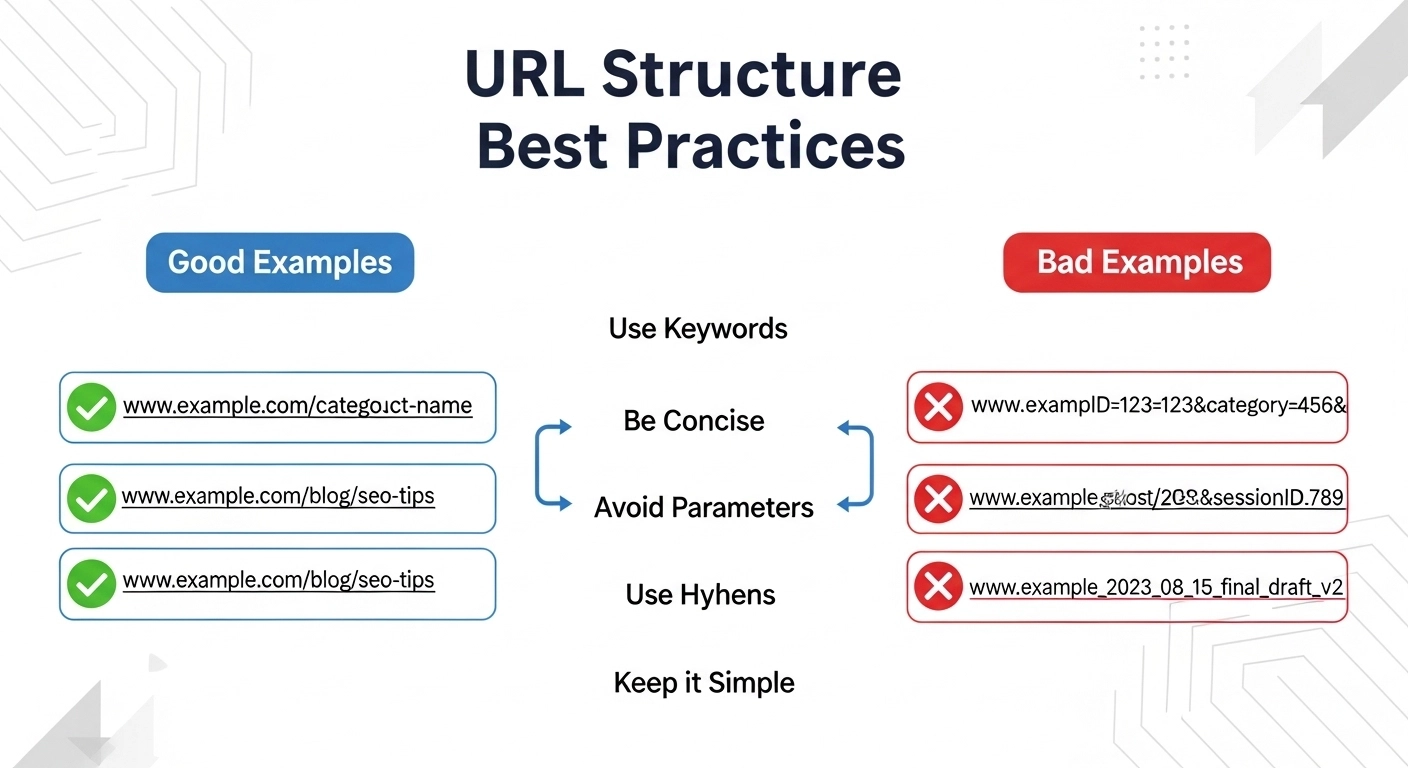
A well-structured URL is one of the easiest ways to improve both search engine optimization (SEO) and user experience. Clean URLs help search engines understand your content and make it easier for users to trust and share your pages.
If your URLs are messy, long, or confusing, they can hurt rankings and reduce clicks. The good news? Fixing URL structure is simple once you know the best practices.
In this guide, you’ll learn the most effective URL structure best practices, with clear examples you can apply immediately.
What Is a URL Structure?
A URL (Uniform Resource Locator) is the address of a webpage on the internet.
Example:
A URL usually includes:
- Protocol – https://
- Domain name – example.com
- Path – /blog/url-structure-best-practices
The path section is where SEO optimization matters most.
Why URL Structure Matters for SEO
Search engines use URLs to understand the topic and organization of your website.
A good URL helps:
- Search engines understand page content
- Users trust and click your link
- Improve ranking signals
- Make pages easier to share
- Improve website navigation
For example:
❌ Bad URL
example.com/p=123?id=567&cat=9
✅ Good URL
example.com/seo/url-structure-best-practices
The second URL clearly tells both users and search engines what the page is about.
10 URL Structure Best Practices
1. Keep URLs Short and Simple
Short URLs are easier to read and perform better in search results.
❌ Too long
example.com/blog/2026/03/seo-tips-for-beginners-to-improve-search-engine-ranking-fast
✅ Better
example.com/seo-tips
Short URLs are easier to remember and share.
2. Include Your Target Keyword
Your main keyword should appear naturally in the URL.
Example:
Keyword: URL structure best practices
Good URL:
example.com/url-structure-best-practices
This helps search engines understand the page topic.
3. Use Hyphens to Separate Words
Always use hyphens (-) instead of underscores (_).
✅ Correct
example.com/seo-tips
❌ Avoid
example.com/seo_tips
Search engines read hyphens as word separators.
4. Avoid Special Characters
Special characters can confuse both users and search engines.
❌ Bad example
example.com/blog?id=123&cat=seo
✅ Better
example.com/seo-guide
Clean URLs are always better.
5. Use Lowercase Letters
URLs should always be lowercase.
❌ Avoid
example.com/SEO-Tips
✅ Correct
example.com/seo-tips
Some servers treat uppercase and lowercase URLs as different pages, which can cause duplicate content issues.
6. Remove Stop Words
Stop words are unnecessary words like:
- and
- the
- of
- to
- in
Example:
❌ Long URL
example.com/the-best-guide-to-seo-for-beginners
✅ Clean URL
example.com/seo-guide-beginners
This keeps URLs short and clear.
7. Use a Logical Folder Structure
Organize content into clear categories.
Example:
example.com/blog/seo-tips
example.com/blog/keyword-research
example.com/blog/link-building
This helps both users and search engines understand your website structure.
8. Avoid Numbers and Dates (When Possible)
Dates can make content look outdated.
❌ Example
example.com/blog/seo-tips-2021
If you update the article later, the URL becomes misleading.
Better option:
example.com/seo-tips
9. Use HTTPS
Secure websites are a ranking factor.
Always use:
Instead of:
http://example.com
HTTPS improves security and user trust.
10. Make URLs Readable for Humans
If a human cannot understand your URL, it needs improvement.
Ask yourself:
Can someone guess the page topic just by reading the URL?
Example:
❌ Confusing
example.com/xj9k2p
✅ Clear
example.com/wordpress-seo-guide
Clear URLs increase clicks and credibility.
Good vs Bad URL Examples
| Bad URL | Good URL |
| example.com/?p=123 | example.com/seo-guide |
| example.com/blog/2024/10/seo-tips-for-ranking | example.com/seo-tips |
| example.com/SEO_TIPS | example.com/seo-tips |
Best URL Structure for Blogs
A common SEO-friendly blog structure looks like this:
domain.com/blog/topic
Example:
example.com/blog/url-structure-best-practices
This keeps your content organized and scalable.
URL Structure for E-commerce Websites
For online stores, a category structure works best:
domain.com/category/product
Example:
store.com/laptops/dell-inspiron-15
This helps users navigate your store easily.
Common URL Mistakes to Avoid
Many websites make these mistakes:
- Very long URLs
- Random numbers or codes
- Changing URLs without redirects
- Using uppercase letters
- Keyword stuffing in URLs
Fixing these issues can quickly improve SEO performance.
FAQ: URL Structure Best Practices
What is the ideal URL length for SEO?
Shorter URLs generally perform better. Aim for 3–5 words in the slug if possible.
Should URLs include keywords?
Yes. Including the main keyword helps search engines understand the page topic.
Are dates good in URLs?
Usually no. Dates can make content look outdated and harder to update later.
Should I change old URLs for SEO?
Only if necessary. If you change a URL, always add a 301 redirect to avoid losing SEO rankings.
Are hyphens better than underscores?
Yes. Search engines recommend hyphens (-) for separating words in URLs.
Conclusion
A clean, simple URL structure improves both SEO rankings and user experience. Search engines prefer URLs that are clear, short, and keyword-focused.
To recap the most important rules:
- Keep URLs short and simple
- Use hyphens
- Include your main keyword
- Avoid special characters
- Use lowercase letters
- Create a logical site structure
